DEMO Fictional demo · built by AdaptExec — Northlatch IT isn’t a real company. Forms go to AdaptExec’s demo CRM; nobody is contacted. See all demos

Managed IT · Phoenix metro · offices of 5–75All systems normal

IT that just works. Proof that it does.

Flat monthly pricing, 11-minute average response and a live dashboard of everything we protect.

Uptime · last 30 dayslive

99.98%

312 endpoints · 9 offices · 0 open incidents

Uptime 99.98 percent across the last 30 days, with one brief slowdown on day 17.
Tickets solved today

47

median fix: 26 min

Avg response
11min

goal < 15 min · 7-day avg

Threats blocked · Oct

3,182

Phishing link · law office · just now

Real techs, in Phoenix

14 techs out of our Tempe office. No offshore queue.

Google rating

4.9

212 reviews (sample)

Partner

Microsoft 365 & Google Workspace partner

Licensing at cost (sample)

02:04 Backups verified · 30 of 30 offices06:15 Patch rollout · 1,284 devices08:41 MFA enforced · Mesa Verde CPA09:02 Phishing sim · 3% click rate10:30 Laptop swap · Gilbert, on site11:12 Wi-Fi split · guest vs staff · Arcadia13:47 Ex-employee access removed in 4 min15:20 Warranty alert · 6 PCs due Q1
01Office Health Check6 questions · 2 minutes
Your office score0 of 6 answered

––/ 100

How exposed is your office, really?

Answer six quick questions. Each tile flips lime if you’re covered, amber if it needs work. No email needed to see your score.

    Illustrative self-check, not a security audit. The full assessment is an on-site review of your network, devices and accounts.

    02ServicesTap a tile to open it

    One flat monthly plan

    Six things we run, so you don’t have to.

    Help desk, security, backups, cloud, phones and compliance — one team, one invoice, one number to call. We look after the boring parts before they turn into a bad Tuesday.
    This week · all clients
    412tickets closed
    1,284devices patched
    30/30backups verified
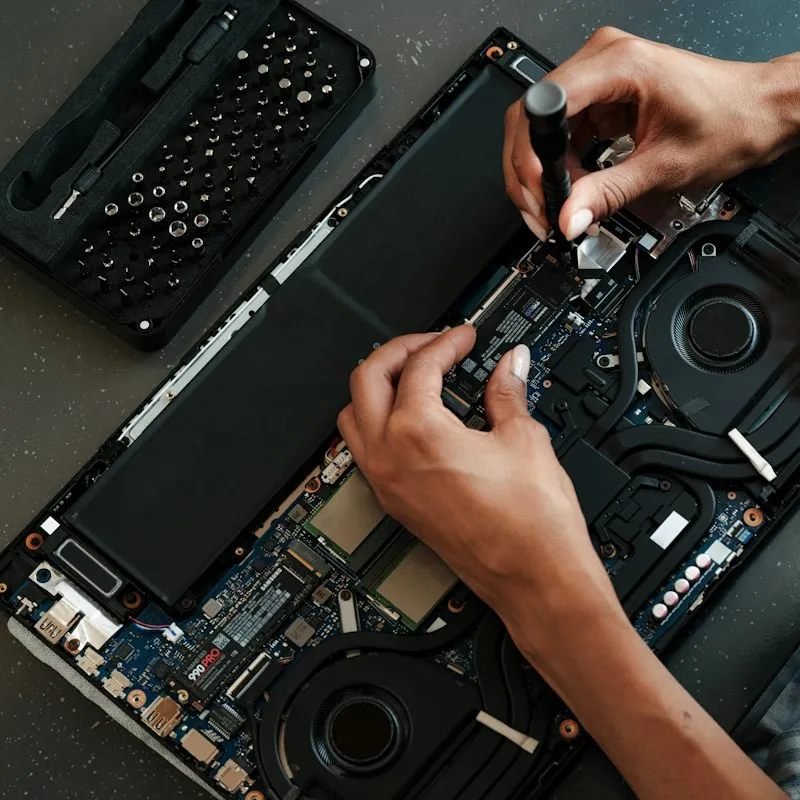
    Hands installing a new drive in an opened laptop beside a screwdriver kit
    Bench · SSD swap, 22 min
    03PricingFlat, per user, no surprises
    18 people

    What would Northlatch cost your office?

    Volume pricing kicks in at 20 and 40 users.

    Your monthly totalOffice plan

    $/mo

    Per user$129
    Add-ons0
    Setup$0
    • Unlimited help desk, on site when needed
    • Month-to-month after a 90-day start

    Illustrative demo pricing; not an offer.

    Security add-ons+$0/user
    Always included
    • EDR antivirus
    • Nightly backups
    • Patching
    • Monthly report
    Where it goes
      vs. the cost of one ransomware day
      Northlatch, 1 month
      $2,322
      1 day locked out
      $14,740

      One day offline for 18 people: lost wages, missed appointments and recovery work. Rough model: $85/hr per person × 8 hrs + $2,500 cleanup.

      04Onboarding30 days, start to steady

      Switching IT providers

      From “who has the password?” to fully mapped in four weeks.

      We take over from your old provider (or your office manager’s nephew) politely and completely. Nobody loses a day of work, and you get a written report at the end.

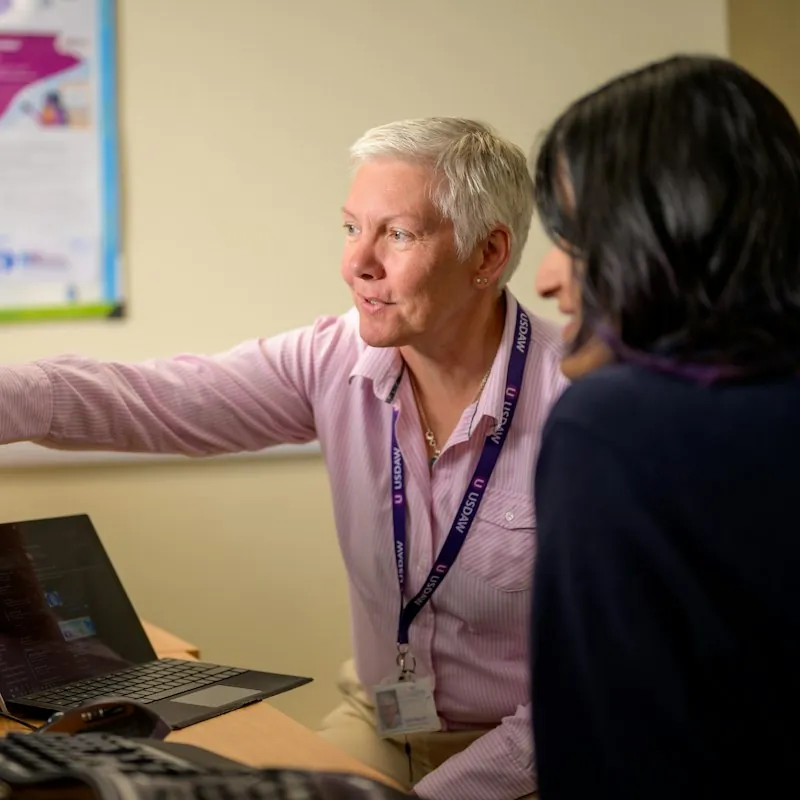
      Colleague leaning over to help a coworker set up his laptop
      Week 3 · laptop migrations
      What changes on day 1

      Day 1

      • One help number for everyone
      • Password vault for shared logins
      • Backups confirmed running
      • A named tech who knows your office
      1. Week 1Audit

        Walk every desk, closet and login. Map devices, licenses and who has admin.

      2. Week 2Lock down

        MFA everywhere, EDR on every machine, old accounts closed, backups verified.

      3. Week 3Migrate

        Email, files and phones moved after hours. Laptops swapped where they’re due.

      4. Week 4Report

        A plain-English report: what we found, what we fixed, what’s next and what it costs.

      05Client results (sample)One hard number each
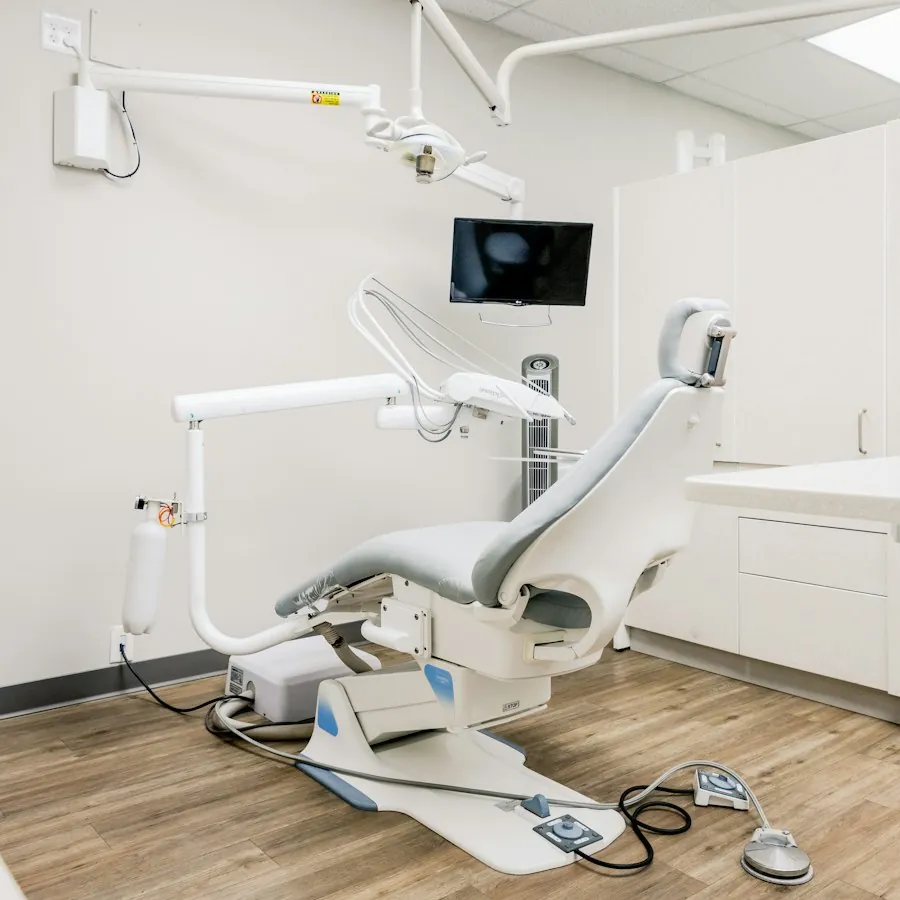
      Bright dental operatory with a patient chair and a wall-mounted monitorDental · Chandler

      Saguaro Smiles Dental · 14 staff

      38 min to restore the imaging server after a failed drive.

      Their x-ray server died at 7:40 am on a Monday. Patients were in chairs by 8:20. Nobody had to reschedule.

      Law firm · Central Phoenix22 staff

      14% → 2%

      Phishing click rate at Ortega & Vance after MFA, filtering and three short training drills.

      Technician in a tie helping a colleague at her laptop in a small office
      On site · Tuesday visit
      Property manager · Mesa

      45 min

      New-hire setup at Copper Key Property, down from two days. Laptop, email, phone and app access, ready on day one.

      Two colleagues talking at a desk by the window of a small property management office
      Copper Key · front office
      06Sample reviewsIllustrative, not real customers

      “For the first time in nine years, I don’t think about IT. I just read the monthly report.”

      DRDana R.Office manager · dental practice, Gilbert

      “They answered on the second ring. At 6:50 pm.”

      MTMarcus T.CPA · Tempe

      “Our old provider took three days to reset a password. Northlatch fixed our Wi-Fi, our printers and our nerves in one visit. The dashboard is the part I show my partners.”

      EVElena V.Managing partner · law firm, Phoenix

      “Plain English. Every time.”

      JKJordan K.Broker · Scottsdale

      “We passed our HIPAA risk assessment without a single scramble. They had the logs ready before the auditor asked.”

      PNDr. Priya N.Orthodontist · Chandler

      “Flat price. I can budget for it.”

      SBSam B.Owner · property mgmt, Mesa

      “New laptop, set up and on my desk before I got in.”

      ALAaron L.Paralegal · Arcadia
      07FAQ & service areaStraight answers

      Questions owners ask

      No long contracts. No surprise invoices.

      The three things every office manager asks us first — and a few more. Still curious? Book the assessment and ask the tech in person.

      How long is the contract?

      A 90-day start so we can finish onboarding, then month-to-month. Leave with 30 days’ notice and we hand over every password, diagram and document — politely.

      Do you support after-hours emergencies?

      Yes. Critical issues (server down, suspected breach, nobody can work) are answered 24/7 by an on-call tech in Phoenix. Routine requests after 6 pm are picked up first thing.

      Can we keep our existing equipment?

      Almost always. We flag anything out of warranty or past end of support, and you decide when to replace it. No forced hardware buys.

      What if we already have an IT person?

      We work alongside them: they keep the relationships and daily requests, we cover security, backups, after-hours and the projects they never get to.

      Do you work with dental and legal software?

      Daily: Dentrix, Eaglesoft, imaging bridges, Clio, PracticePanther, QuickBooks, AppFolio and the usual scanners and label printers.

      How fast can you start?

      Assessment within a week of your request; Week 1 of onboarding usually starts 10 business days after you say yes.

      Service area · Phoenix metroon-site within 2 hrs
      Stylized map of the Phoenix metro service area with techs in Scottsdale, Phoenix, Tempe, Mesa, Gilbert and Chandler PhoenixArcadiaScottsdaleTempeMesaGilbertChandler
      Help desk hours

      7–6

      Mon–Fri, plus 24/7 for critical issues

      Tempe office

      1420 W Fictional Pkwy, Suite 210, Tempe (sample)

      (480) 555-0199

      08Book an IT assessmentFree · on site · about 90 minutes

      Step 1 of 3 · Your office

      Book an IT assessment.

      What kind of office?

      What’s bugging you most? (pick any)

      When do you want help?

      Your numbers, carried over

      Health check–Not run yet · take it
      Plan estimate–From the calculator

      Assessment requested (in demo-land).

      Your request landed in the demo CRM. Scroll down to see it appear as a new card in the Northlatch Hub.

      See it in the Hub
      What the assessment covers~90 min
      • Network & Wi-Fi walk-throughClosets, switches, firewall, guest access
      • Device age & warranty listEvery PC, printer and phone
      • Accounts, MFA & admin rightsWho can do what, and should they
      • A real backup restore testWe restore one file while you watch

      Honest note: this is a fictional demo. Requests go to AdaptExec’s demo CRM so you can see the workflow — nobody will contact you about IT.

      What happens next
      1. 1Tech calls within one business day
      2. 2Visit on your schedule
      3. 3Written report in 5 days
      09Behind the dashboardMock data, for the demo

      The Northlatch Hub runs every ticket, device and report.

      Every ticket, device, alert and onboarding project lives in one CRM built around how a managed IT shop actually works. The assistant drafts and suggests — people review and decide. (Mock data, for the demo.)

      Ticket queue

      Tue · live SLA timers
      Open23
      Solved today47
      First reply11m
      CSAT · 30d98%

      Client device inventory

      Managed312
      Patched98.7%
      Warranty <90d23
      Win 10 left9
      Fleet age (years)
      Sample device inventory
      DeviceClient · userAgeWarrantyFlags

      Security alerts

      Last 24 hours · 30 clients
      Blocked · 7 days742
      PhishingMalwareSign-in
      MFA coverage96%
      3 users without MFA

        Onboarding projects

        Use the arrow to move a client to the next week

        Monthly client report · October

        The assistant turns the numbers on the left into a short note an office manager can read in a minute. A tech reviews it before it’s sent.

        Mock dashboard with invented data. Assistant features are illustrative: they draft, summarize and suggest, and a person reviews before anything is sent or changed. Want this for your business? AdaptExec builds websites + CRMs like this.

        Free · on site · no obligation

        See what’s really running your office.

        Want a site like this for your business? AdaptExec designed and built this demo — website + CRM.

        NorthlatchIT

        Managed IT, security and support for Phoenix-area offices of 5 to 75 people.

        Visit / call

        1420 W Fictional Pkwy, Suite 210, Tempe, AZ 85281 (sample)
        (480) 555-0199 · hello@example.com
        Help desk Mon–Fri 7 am–6 pm · 24/7 for critical issues

        Fictional demo. Northlatch IT is a fictional company created by AdaptExec as a website + CRM demo. It is not a real business; its address, phone (a 555 number), staff, clients, case studies, metrics, prices, reviews and dashboard data are invented samples, and there are no real customer testimonials on this page. The health-check score, prices and ransomware-cost figures are illustrative estimates based on simple adjustable assumptions — not quotes, guarantees, security advice or official statistics. Microsoft 365 and Google Workspace are mentioned only to describe the kind of services offered; no partnership is implied. Photos are royalty-free stock images from Unsplash used for illustration; they do not depict the company, its staff or its clients. Forms go to AdaptExec’s demo CRM — nobody is contacted.

        Website + CRM demo built by AdaptExec.

        DEMOFictional demo · built by AdaptExec
        Scroll to Top