
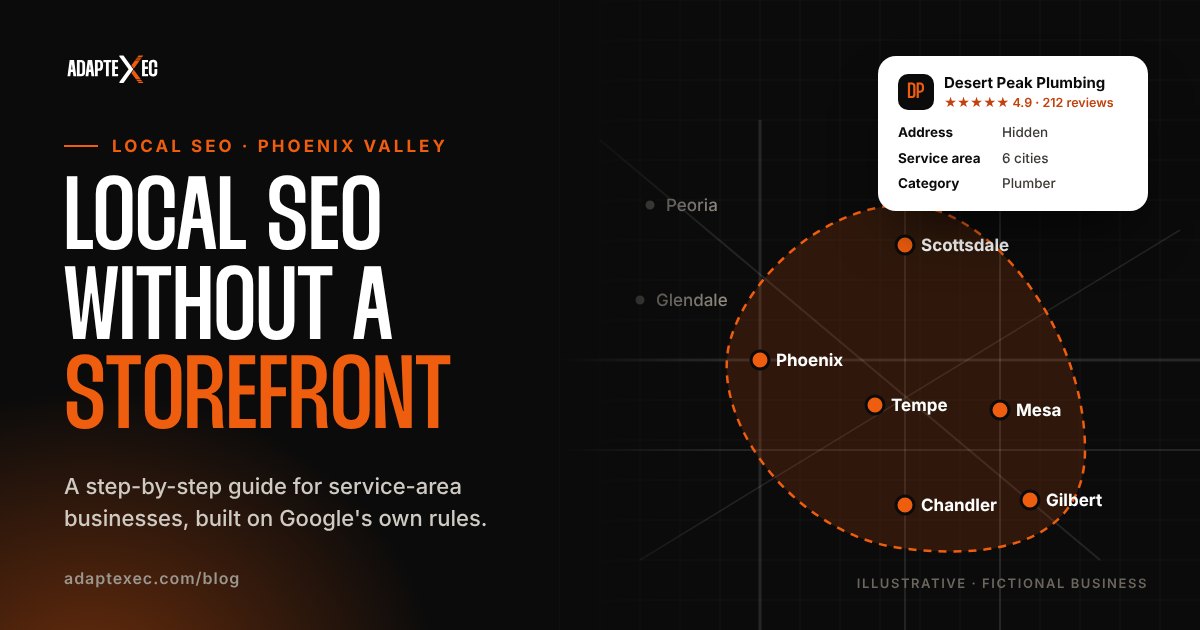
Yes, you can rank locally without a storefront. Local SEO for a service-area business comes down to five things: a Google Business Profile set up as a service-area business with your address hidden and up to 20 service areas, a steady stream of recent reviews, consistent business listings across the web, genuinely useful service and location pages on your own website, and content that proves you do the work where you say you do. Here’s how to do each one the way Google’s own guidelines describe.
This guide is written for plumbers, roofers, landscapers, cleaners, mobile detailers, consultants and every other business that goes to the customer instead of the other way around. We’ll use the Phoenix Valley for examples, but the steps work anywhere.
Key takeaways
- If customers don’t come to you, Google says to hide your address and list a service area instead. No P.O. boxes or virtual offices.
- You can add up to 20 service areas by city or ZIP code, ideally within about two hours’ drive of your base. Radius settings aren’t allowed.
- Your business name must match the real world. Keyword-stuffing it can get your profile suspended.
- Reviews are the lever you control most: 74% of consumers only consider reviews from the last three months.
- Location pages work when they’re genuinely local. Near-duplicate city pages can be treated as doorway spam.
How local rankings work when you don’t have a storefront
Google says local results are based mainly on three things: relevance (how well your profile matches the search), distance (how far you are from the searcher) and prominence (how well known your business is, including reviews and links). It’s also clear that there’s no way to request or pay for a better local ranking (Google Business Profile Help).
Service-area businesses start with a handicap on distance. In Whitespark’s 2026 Local Search Ranking Factors survey of local SEO experts, the top factors for the map pack included the primary Google Business Profile category, proximity of the address to the point of search, and whether the address is showing on the profile at all (Whitespark). When your address is hidden, you can’t win on that last one.
That doesn’t mean you can’t compete. It means you have to win on everything else: the right categories, more and better reviews, a stronger website, and proof that you actually serve the cities you list.
Step 1: Set up your Google Business Profile the right way
Your Business Profile is the foundation. Getting the setup right matters more than any trick, because guideline violations can get the profile suspended. Here’s what Google’s guidelines say for businesses without a storefront.
Confirm you’re a service-area business
Google defines a service-area business as one that doesn’t have a storefront and visits or delivers to customers at their location. A business that serves customers at its address and travels to them (like a repair shop with roadside service) is a hybrid and can show both. If you have no permanent signage at a location, Google says it isn’t eligible as a storefront (Google: service areas).
Hide your address
If you don’t serve customers at your address, Google’s guidelines say to hide it. The address on a Business Profile is public, so this matters doubly if you work from home. In your profile, go to Edit profile → Location → Business location and turn off “Show business address to customers.” Google also notes that P.O. boxes and remote mailboxes aren’t acceptable, and a virtual office isn’t eligible for a Business Profile (Google guidelines).
Add your service areas (up to 20)
Google lets you add up to 20 service areas, by city, ZIP code or other area. You can’t set a radius around your business, and the overall area should generally stay within about two hours of driving time from where you’re based. A Scottsdale-based landscaper, for example, might list Scottsdale, Paradise Valley, Fountain Hills, Tempe, Mesa, Chandler, Gilbert and Phoenix. Be accurate: list the places you genuinely serve, not every city in Maricopa County.
Use your real business name
Here’s the uncomfortable truth: keywords in the business name are a strong ranking factor in expert surveys, and Google’s guidelines don’t allow them. Your name must reflect your real-world name. Adding marketing taglines, service descriptions or location details isn’t permitted and can result in suspension. “Desert Peak Plumbing” is fine. “Desert Peak Plumbing | Best Emergency Plumber Scottsdale” is a liability.
Fill out everything else
- Primary category: the single most specific category for your main service. Add secondary categories only where they’re true.
- Services: list the services you offer, using Google’s predefined options where they fit.
- Hours: regular hours plus special hours for holidays.
- Photos and videos: real work, real trucks, real team. Not stock photos.
- Verification: verified profiles are more likely to show up in results, and there should only be one profile per business.
Step 2: Build a steady stream of reviews
Reviews are the most powerful local signal you fully control, and they decide whether someone calls you once they find you. BrightLocal’s 2026 Local Consumer Review Survey of 1,002 U.S. consumers found that:
- 97% of consumers read reviews for local businesses.
- 74% only consider reviews from the last three months.
- 47% won’t use a business with fewer than 20 reviews.
- 80% are likely to use a business that responds to all its reviews, while 50% are put off by generic or templated replies.
(Source: BrightLocal.)
74%
of consumers only consider reviews from the last three months. Recency beats volume.
The takeaway: a few hundred old reviews matter less than a few new ones every month. Build asking into your process:
- Ask at the moment of value. Right after the job is done and the customer is happy, not three weeks later.
- Make it one tap. Send your review link by text, with a short personal note.
- Ask everyone. Don’t filter who gets asked based on whether you expect a good review.
- Reply to every review, personally. Mention the job and the neighborhood when it’s natural. Skip the copy-and-paste replies.
And never pay for reviews. Google’s policy treats reviews influenced by “a payment, discount, free goods or services, or any other benefit” as incentivized (Google Maps content policy). That rules out “10% off for a 5-star review.” If you want review requests to go out automatically when a job is marked complete, that’s exactly the kind of workflow we build into a custom CRM.
Step 3: Keep your listings consistent everywhere
Citations are mentions of your business name, phone number and website on other sites: directories, maps apps, industry associations, your local chamber. For a service-area business, the rule is simple: the same name, phone number and website everywhere, and no exposed home address where a directory lets you hide it.
Citations matter less for the map pack than they used to. But Whitespark’s 2026 report adds a new twist: three of the top five factors for visibility in AI search tools were citation factors. That lines up with BrightLocal’s finding that 45% of consumers now use AI tools like ChatGPT for local recommendations, and Apple Maps use for reviews rose from 14% to 27%. Your listings feed those answers.
Start with the core: Google, Apple Business Connect, Bing Places, Yelp, Facebook, Nextdoor, the Better Business Bureau, and the directories specific to your trade. Then clean up old listings with outdated phone numbers or names.
Step 4: Build location pages that aren’t doorway pages
Your website is where you can prove what your Business Profile only claims. The usual advice is “make a page for every city you serve.” Done badly, that’s spam. Google’s spam policies list “having multiple domain names or pages targeted at specific regions or cities that funnel users to one page” as an example of doorway abuse (Google Search Central).
The fix isn’t to avoid location pages. It’s to make each one worth visiting on its own. A good service-area page includes:
- Real projects in that city, with photos, the problem and the result.
- Local specifics: neighborhoods you work in, typical home types, permits or HOA considerations you deal with.
- Reviews from customers in that area, attributed honestly.
- Answers to local questions your team actually hears.
- A clear next step: click-to-call and a short quote form.
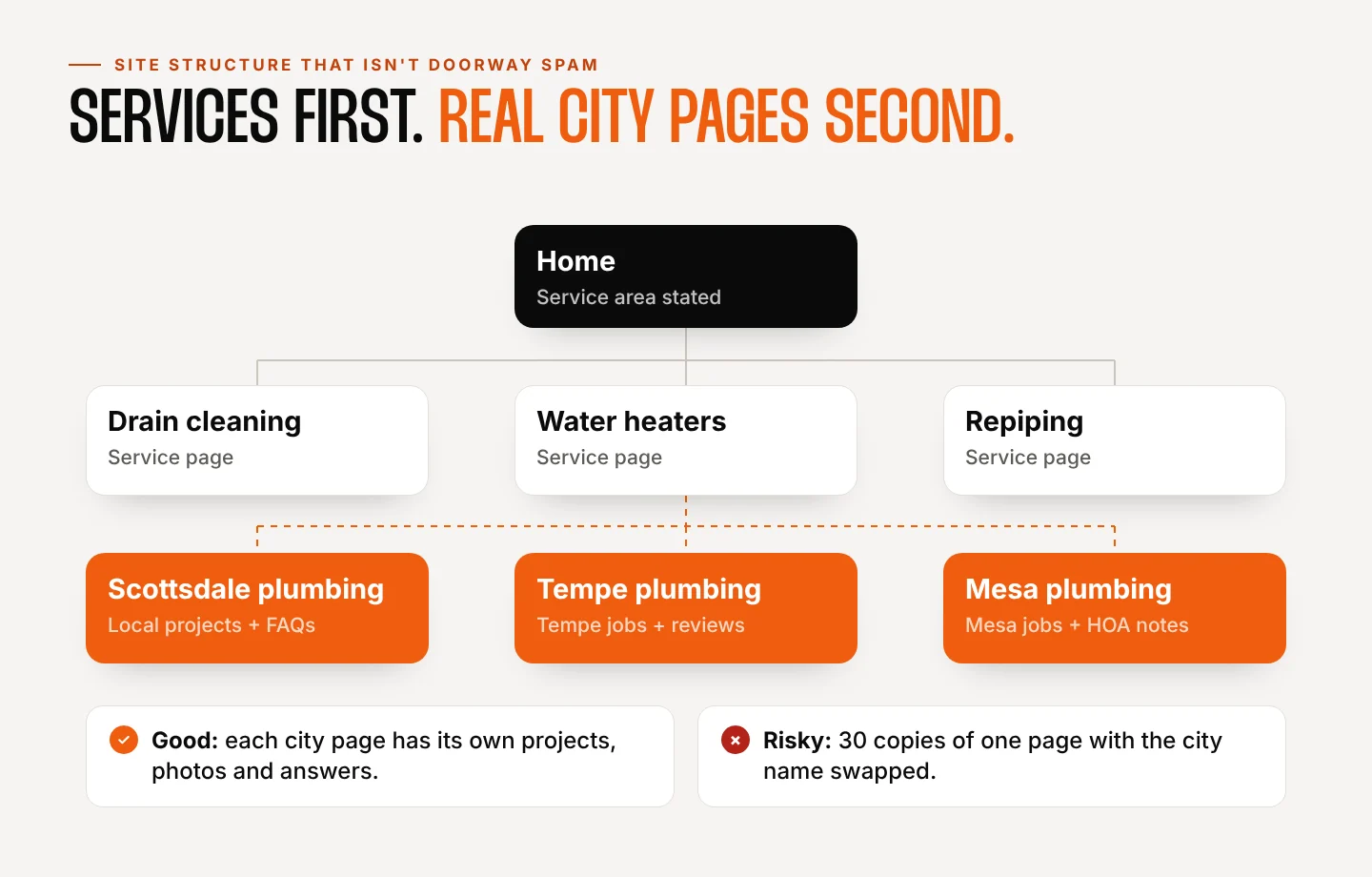
Structure matters too. Build strong service pages first (one per main service), then add city pages only where you have real work and something real to say. Link them to each other so both people and search engines can browse the hierarchy. If you only have enough material for three good city pages, publish three, not thirty thin ones.
Step 5: Make your website the proof
When someone finds you in the map pack, most will check your website before they call. Make it do its job:
- State your service area clearly on the home page and in the footer: “Serving Scottsdale, Tempe, Mesa and the East Valley.”
- Make calling effortless with a tap-to-call button that stays visible on phones.
- Load fast on mobile. Most local searches happen on a phone, often from a driveway or a job site.
- Add structured data carefully. Google’s LocalBusiness structured data lists a physical address as a required property. If you don’t publish your address, don’t invent one for schema. Organization markup with your name, logo, phone and website is the honest alternative, and the schema.org
areaServedproperty can describe where you work. - Send every inquiry somewhere reliable. A form that lands in a CRM, tagged by source, gets followed up. One that lands in a shared inbox often doesn’t.
If your current site is slow, hard to use on a phone, or doesn’t explain where you work, that’s often the biggest local SEO win available. See how we approach it on our website design page, or read our guide to website costs in Phoenix if a rebuild is on the table.
Step 6: Publish content that earns local trust
Content for a service business isn’t about blogging for the sake of it. It’s about answering the questions your customers ask before they hire someone, and showing your work in the places you serve. Ideas that work well:
- Project stories from specific neighborhoods, with before-and-after photos.
- Seasonal guides tied to how your services change through the year in your market.
- Cost and process explainers that answer “how much” and “how long” honestly.
- Comparison posts that help people choose between options, even when the answer isn’t you.
Post updates and photos to your Business Profile too. Google suggests using photos and videos to show what you offer, and fresh activity gives searchers a reason to choose you.
Step 7: Track what actually matters
Rankings move around depending on where the searcher is standing, so don’t obsess over a single position. Track the numbers that pay the bills:
- Business Profile performance: calls, website clicks and direction requests over time.
- Google Search Console: which searches and pages bring people to your site.
- Lead source in your CRM: how many real inquiries came from Google, by service and city.
- Review velocity: how many new reviews you earn each month, and your response rate.
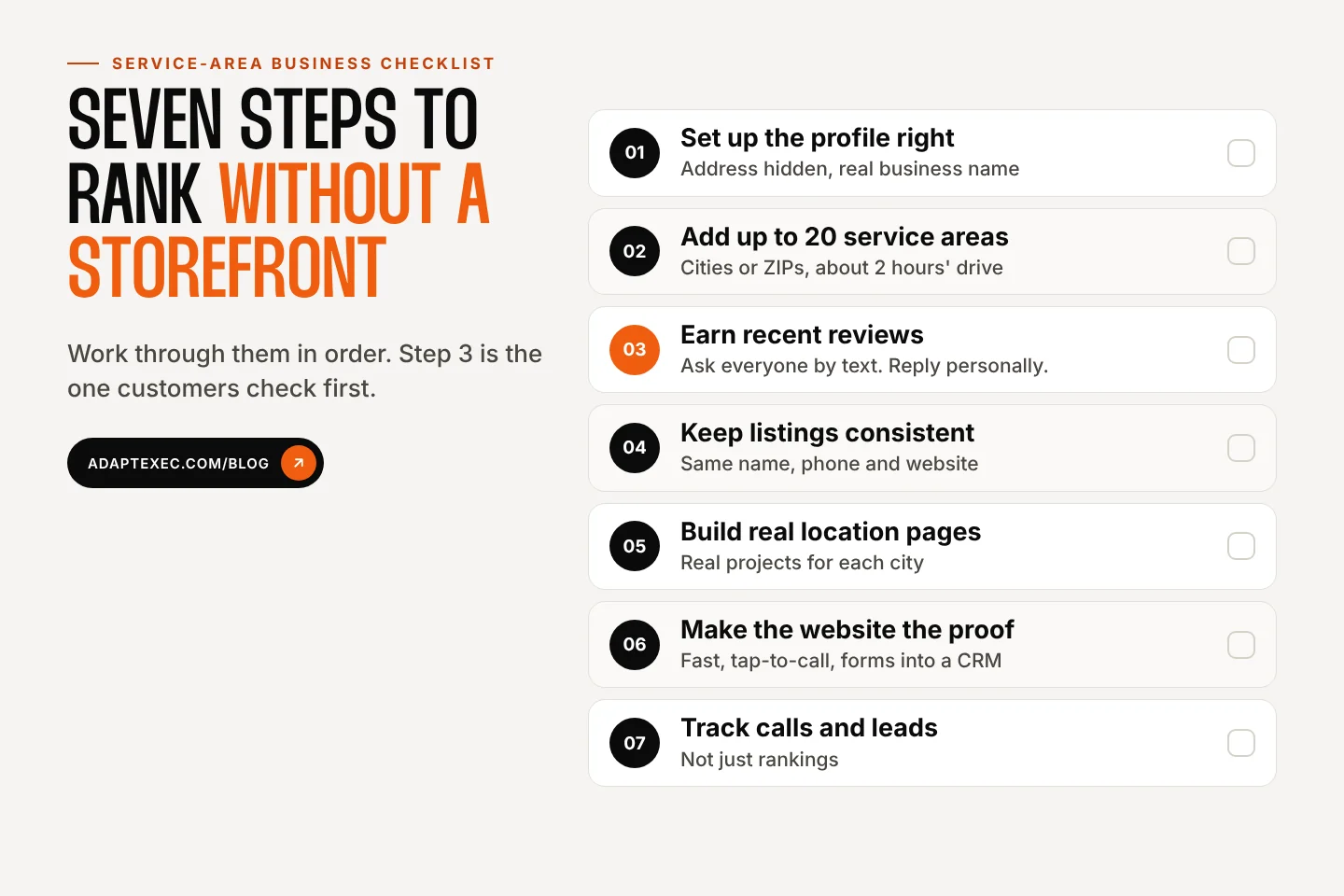
Common local SEO mistakes for service-area businesses
- Showing a home address when you don’t serve customers there.
- Using a virtual office, P.O. box or mailbox store as your address.
- Creating more than one profile for the same business.
- Stuffing keywords or cities into the business name.
- Listing service areas you don’t really serve, or far beyond a reasonable drive.
- Offering discounts or gifts in exchange for reviews.
- Publishing dozens of near-identical city pages.
- Letting leads from all that work sit unanswered.
That last one deserves more attention than it gets. Local SEO brings the phone calls. What happens next decides whether they turn into jobs, which is why we pair SEO with follow-up systems. If you’re weighing a CRM, our comparison of custom CRMs vs. HubSpot and Salesforce walks through the numbers.
How AdaptExec helps service-area businesses
Our SEO isn’t a Silver, Gold or Platinum package. We look at your goals, your competition, your website and your actual service area, then scope the work to what you need, with no long-term contract. That can be a one-time Business Profile and website cleanup, a set of genuinely useful service and city pages, a review-request workflow, or ongoing help. Start with the free SEO check, or tell us about your business and we’ll give you an honest read on where your biggest local wins are.
Local SEO for service-area businesses FAQ
Can I rank in the Google map pack without showing my address?
Yes. Service-area businesses with hidden addresses appear in local results. Because proximity to an address is a strong factor, you’ll usually need to work harder on categories, reviews and your website to compete with storefronts close to the searcher.
Can I use my home address for my Google Business Profile?
Plenty of service businesses are run from home. If you don’t serve customers at that address, Google’s guidelines say to hide it from customers and show a service area instead. Your profile will then show only the service area.
How many service areas can I add?
Up to 20, by city, ZIP code or other area. Google recommends keeping the overall area within about two hours’ drive of your business, and you can’t use a radius.
Should I create a page for every city I serve?
Only for cities where you can say something genuinely useful: real projects, local details, reviews and answers. Near-duplicate pages that just swap the city name can be treated as doorway pages under Google’s spam policies.
How long does local SEO take to work?
Fixes like profile setup, categories and broken listings can show results fairly quickly. Reviews, content and location pages compound over months. Track calls and leads, not just rankings, so you can see what’s working.
Sources
- Google: Guidelines for representing your business on Google
- Google: Manage your service areas for service-area & hybrid businesses
- Google: How to improve your local ranking on Google
- Google Maps: Incentivized or biased reviews
- Google Search Central: Spam policies
- Google Search Central: LocalBusiness structured data
- BrightLocal: Local Consumer Review Survey 2026
- Whitespark: 2026 Local Search Ranking Factors
![Museum-style exhibit of near-identical bad SEO blog posts titled Home Builder [Town], labeled Exhibit A: 4,149 blog posts](https://adaptexec.com/wp-content/uploads/2026/10/bad-seo-blog-posts-exhibit-a-museum-1024x538.jpg)